Most deepfake coverage argues about tools you would have to buy. This site has a working one,: DeepfakeDetect checks images, text, video and audio for AI generation, in the browser, with 3 checks a day and no install. Paste a passage, drop in a photo, a clip or a voice note, and get a read on it in seconds.
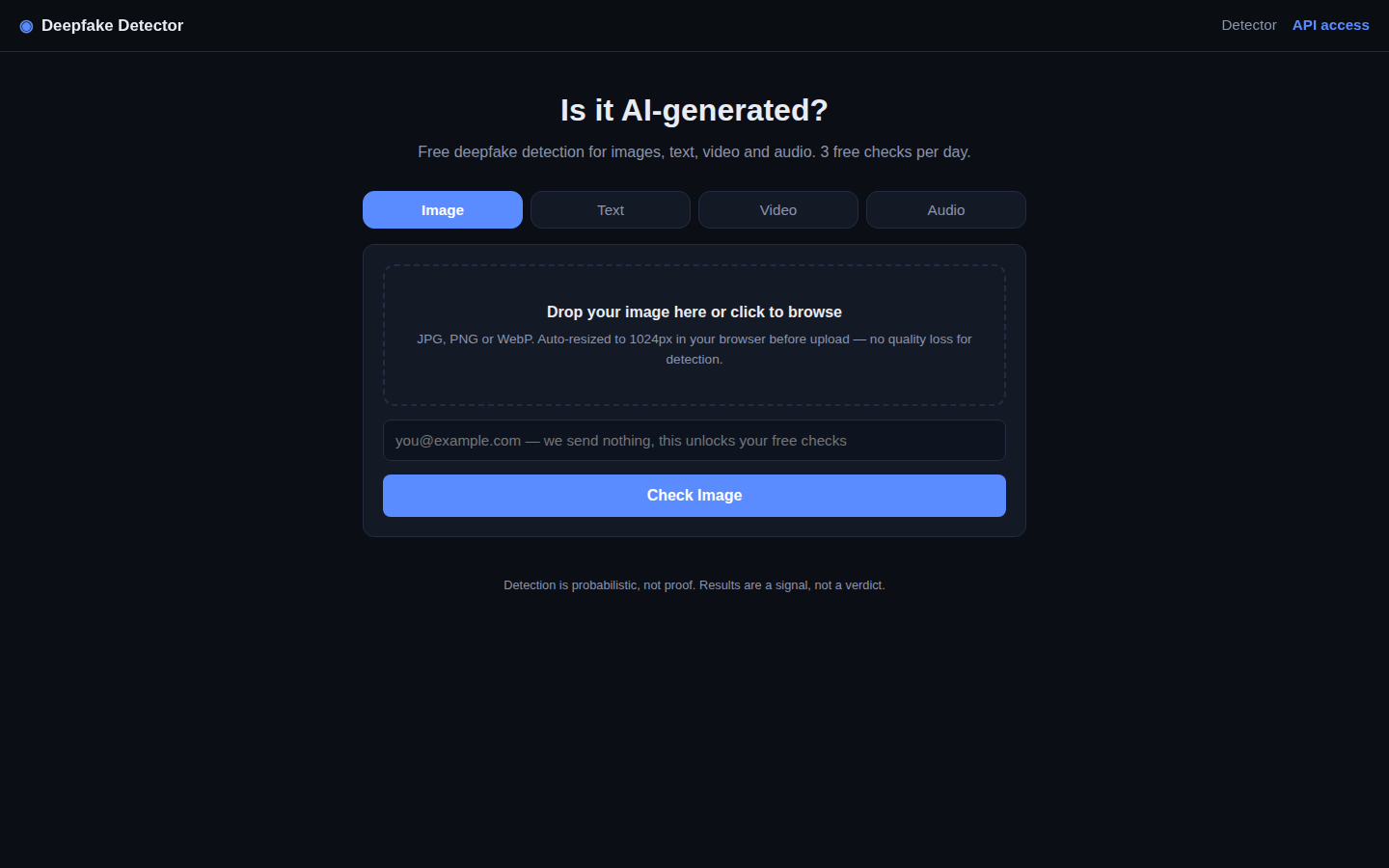
The app's own footer says the honest part out loud: "Detection is probabilistic, not proof. Results are a signal, not a verdict." Treat the result that way and it is genuinely useful: a fast first screen before a human decides. The four tabs take different inputs. Images accept JPG, PNG and WebP, and are resized to 1024 pixels in your browser before upload. Text takes 100 to 10,000 characters; longer passages give more reliable results. Video is checked from sampled frames, and audio gets its own check.
Run your first check
- Open the tab that matches what you have: Image, Text, Video or Audio.
- Add the file or paste the text. For text, more is better: a full passage beats a sentence.
- Enter an email to unlock the checks. The app states it plainly on the form: we send nothing, this unlocks your checks.
- Read the result as a signal. A flag means look closer, not case closed.
The 3 checks reset daily. For teams that need this inside their own product, our API pricing breakdown shows what integration really costs. Where the check sits in a hiring or banking flow is covered in the KYC onboarding buyer's guide, and the wider field is compared in 10 tools worth comparing. For the law around all of it, the sister site DeepfakeLaw runs aLaw Lookup over 91 laws. Run the check you have been putting off: open DeepfakeDetect.